
Filevolve - Free Online File Conversion Tools
Welcome to Filevolve
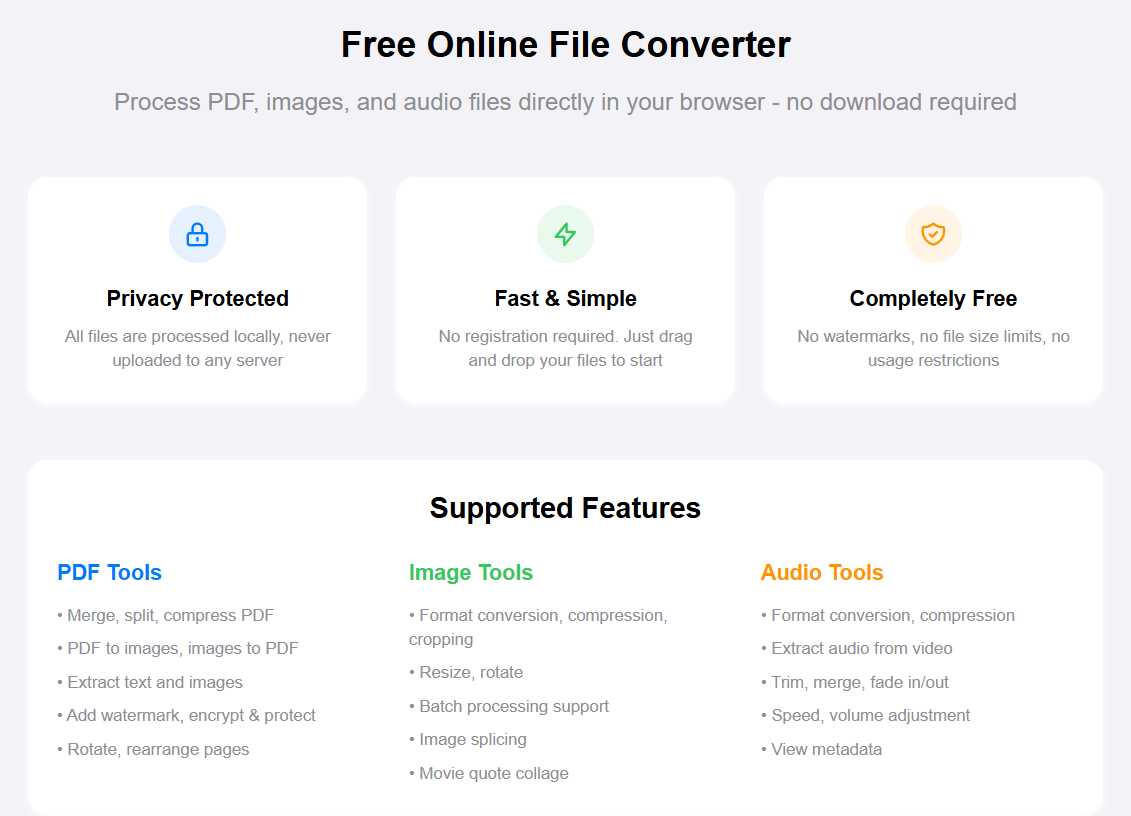
Filevolve is your all-in-one solution for file conversion and processing. Whether you need to compress a PDF, convert image formats, or edit audio files, we've got you covered. Best of all, everything happens right in your browser—no uploads, no waiting, complete privacy.
What Can You Do Here?
PDF Tools
From compressing large PDFs to merging multiple documents, our PDF suite handles it all. You can split PDFs into separate pages, rotate misoriented documents, add passwords for protection, or unlock encrypted files. Need to extract images or text from a PDF? We can do that too. Converting PDFs to images (PNG/JPG) or combining images into a single PDF is just as easy.
Image Tools
Work with images in any format—JPG, PNG, WebP, HEIC, ICO, and more. Convert between formats, compress files to save space, crop to the perfect dimensions, or resize for specific requirements. Our batch processing feature lets you handle multiple images at once, and you can even create photo collages with custom layouts.
Audio Tools
Edit and convert audio files with precision. Trim unwanted sections, merge multiple tracks, add fade-in/fade-out effects, or adjust playback speed and volume. We support all common formats including MP3, WAV, OGG, FLAC, and AAC. You can even extract audio from video files or view detailed metadata.
Why Choose Filevolve?
Privacy First
Your files never leave your device. All processing happens locally in your browser, which means your documents, photos, and audio files stay completely private. No server uploads, no cloud storage, no third-party access.
No Registration Required
Start using any tool immediately. No account creation, no email verification, no passwords to remember. Just visit the site and get to work.
Works Everywhere
Our tools work on any modern browser—Chrome, Firefox, Safari, Edge, and more. Whether you're on a desktop computer, laptop, tablet, or smartphone, you'll have the same smooth experience. We also support 17 languages, so you can work in the language you're most comfortable with.
Dark Mode
Prefer a darker interface? We've got you covered with a beautiful dark mode that's easy on the eyes, perfect for late-night work sessions.
How to Get Started
Using Filevolve is straightforward:
- Choose your tool – Browse our PDF, Image, or Audio categories and select the tool you need
- Upload your file – Drag and drop or click to select files from your device
- Adjust settings – Configure any options like quality, format, or dimensions
- Download result – Get your processed file instantly
That's it. No complicated steps, no waiting in queues, no email confirmations. Just fast, reliable file processing when you need it.
Tips for Best Results
- PDF Compression: Choose medium compression for a good balance between file size and quality
- Image Conversion: Use PNG for graphics with transparency, JPG for photos
- Audio Editing: Always preview your changes before downloading the final file
We're constantly adding new tools and improving existing ones. If there's a feature you'd like to see, feel free to reach out and let us know.